Resize Image Online Free – Fast, High-Quality Image Resizer Tool
Need to resize image online free without installing complicated software? This powerful and easy-to-use image resizer tool allows you to instantly adjust image dimensions, scale by percentage, convert formats, and optimize file size — all directly in your browser.
Whether you want to change image dimensions online for social media, resize graphics for your website, prepare thumbnails for YouTube, or reduce file size for faster loading speeds, this tool gives you complete control while maintaining excellent visual quality.
Professional Image Resizing Made Simple
Resizing images manually can be frustrating, especially when aspect ratios become distorted or quality drops. This browser-based solution makes it simple to resize image online free without losing quality. The built-in aspect ratio lock ensures your image proportions stay intact while scaling.
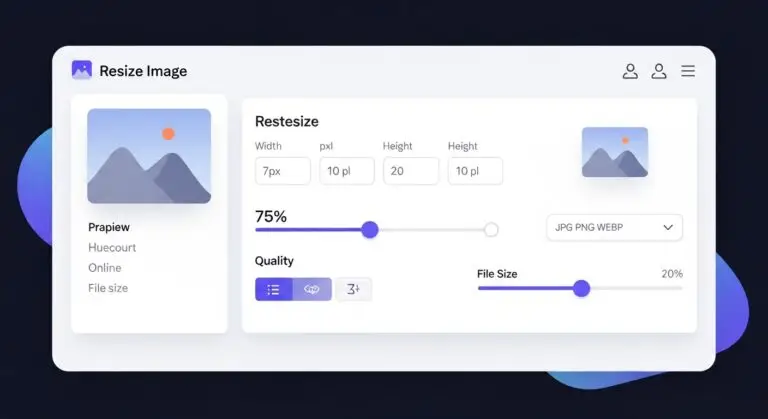
With real-time preview and file size comparison, you immediately see how resizing affects dimensions and storage size. This makes it ideal for designers, bloggers, marketers, developers, and everyday users who want reliable results quickly.
Why Use This Image Resizer Tool?
- Resize using exact pixel width and height
- Resize image by percentage (10%–200%)
- Automatically maintain aspect ratio
- Ready-made presets for Instagram, Facebook, Twitter & YouTube
- Convert image to JPG PNG WEBP
- Adjust output compression quality
- Preview original and new file size instantly
This all-in-one tool allows you to compress and resize image simultaneously, saving both storage space and time.
Resize Images for Social Media Platforms
Social media platforms require specific image dimensions for optimal display. Instead of guessing sizes, you can select ready-made presets.
Instagram Posts & Stories
Easily resize image for Instagram post online using the 1080×1080 preset. For vertical content, choose 1080×1920 for Stories. This ensures your content appears sharp and professional.
YouTube Thumbnails
Creating a video thumbnail? Instantly resize image for YouTube thumbnail size using the 1280×720 preset to meet YouTube’s recommended dimensions.
Facebook & Twitter
Optimize your posts using 1200×630 or 1200×675 presets for better engagement and correct display across feeds.
Change Image Size in Pixels Online
Need exact control? You can change image size in pixels online by manually entering custom width and height values. The aspect ratio lock prevents distortion, ensuring your resized image remains visually balanced.
This is especially useful for website banners, blog images, product listings, and ad creatives where precise dimensions matter.
Resize Image by Percentage
If you don’t need specific dimensions, you can resize image by percentage. Simply adjust the scale slider to reduce or enlarge your image between 10% and 200%. This method is ideal when you want proportional scaling without manual calculations.
Scaling by percentage is particularly helpful when optimizing images for email attachments or uploading to platforms with size limits.
Convert and Optimize Image Formats
In addition to resizing, you can convert image to JPG PNG WEBP instantly. Choose the format that best fits your needs:
- JPG: Balanced compression and quality
- PNG: Lossless format for graphics
- WEBP: Modern optimized format with smaller file sizes
Adjust the quality slider to fine-tune compression and reduce image file size and dimensions online while keeping visuals crisp.
Perfect for Websites & Performance Optimization
Large images slow down websites and negatively affect user experience. This tool helps you reduce image file size and dimensions online before uploading to your website, improving loading speed and SEO performance.
Optimized images also improve page speed scores and reduce bandwidth usage, which is essential for mobile users.
How to Resize Image Online Free
- Upload your JPG, PNG, or WEBP image.
- Select custom dimensions, percentage scaling, or preset size.
- Choose output format and adjust quality settings.
- Download the optimized image instantly.
Resize, convert, compress, and download — all in seconds without installing anything.
If you need a reliable way to resize image online free, this image resizer tool provides speed, precision, and flexibility in one seamless experience.