Image converter
Resize, optimize, and convert images instantly. No server uploads.
Conversion Settings
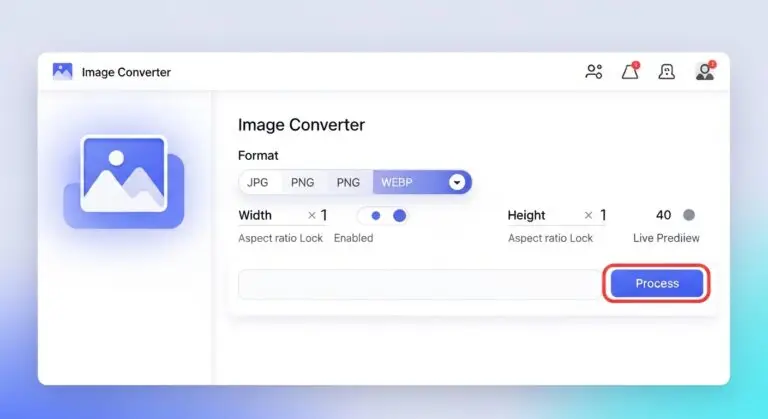
Image Converter Online – Resize & Convert Image Formats Instantly
Looking for a fast and reliable image converter online? This powerful browser-based tool allows you to convert image formats and resize images in seconds. Whether you need to convert JPG to PNG, change PNG to WEBP, or resize and convert image dimensions for web use, this tool gives you full control without installing any software.
Built for simplicity and speed, this image format converter tool works directly inside your browser. Upload your image, choose the desired format, adjust width and height, and download the converted file instantly.
Convert Image Format Online in One Click
Changing file formats has never been easier. With this convert image format online tool, you can switch between JPG, PNG, WEBP, BMP, and GIF formats effortlessly. It’s perfect for designers, developers, marketers, students, and anyone who needs a quick format change.
- Convert JPG to PNG online free
- Convert image to WEBP online
- Change image format without losing quality
- Export optimized files for web or print
- Instant preview before download
If you’re searching for a free online image converter and resizer, this tool combines both features in one simple interface.
Resize and Convert Image with Precision
In addition to format conversion, you can resize your image to exact pixel dimensions. Enter custom width and height values, or lock the aspect ratio to maintain proper proportions automatically.
This makes it ideal for:
- Website image optimization
- Social media resizing
- Thumbnail creation
- Email attachments
- Online marketplace uploads
With the built-in online image resizer tool, you don’t need separate software to resize and convert image files.
Supported Image Formats
This image converter online supports major formats:
- JPG / JPEG
- PNG
- WEBP
- BMP
- GIF
Need to convert JPG to PNG online free for transparency? Or convert image to WEBP online for better compression and web performance? Everything is handled in a few clicks.
Why Choose This Image Converter Tool?
1. All-in-One Solution
No need to use separate tools for resizing and format conversion. This single image format converter tool handles both seamlessly.
2. Aspect Ratio Lock
Maintain original proportions using the built-in aspect ratio lock. This prevents distortion when resizing images.
3. Fast Browser Processing
Images are processed instantly within your browser for quick performance and smooth preview.
4. Instant Download
After processing, download the converted file immediately with the correct file extension.
Use Cases for Image Conversion
This image converter online is useful for:
- Bloggers optimizing images for faster loading
- Developers converting images to WEBP for performance
- Designers exporting multiple formats
- Students converting images for assignments
- Ecommerce sellers resizing product photos
Whether you need to resize image and change format online or simply convert formats quickly, this tool simplifies the entire process.
How to Use This Image Converter Online
- Upload your image file.
- Select your desired output format.
- Enter custom width and height if needed.
- Keep aspect ratio locked if required.
- Click “Process Image.”
- Download your converted image instantly.
No complex settings. No learning curve. Just a clean, efficient convert image format online solution built for speed.
Start Converting Your Images Now
If you need a reliable image converter online that also works as an online image resizer tool, you’re in the right place. Convert JPG to PNG, resize WEBP files, or export optimized images in seconds.
Upload your image and convert it instantly.
Frequently Asked Questions
This image converter online processes your image directly in your browser. You upload a file, select the output format, adjust width and height if needed, and click process. The tool resizes and converts the image instantly using canvas-based rendering.
Yes. You can convert JPG to PNG online free by selecting PNG as the output format and processing the image. The converted file will be ready for download immediately.
Yes. You can resize and convert image files simultaneously. Simply enter your preferred width and height values before processing. The output image will reflect both changes.
This image format converter tool supports JPG, PNG, WEBP, BMP, and GIF formats. You can switch between these formats instantly during conversion.
To convert image to WEBP online, upload your file, select WEBP from the format dropdown, and click process. The tool will generate a WEBP version ready for download.
Lock aspect ratio ensures your image keeps its original proportions while resizing. When enabled, adjusting width automatically updates height to prevent distortion.
Quality depends on the selected format. Lossless formats like PNG preserve image detail, while formats like JPG use compression. This tool processes images at high quality settings for optimal output.