Compress Image to Exact KB Online Free – Instant Size Reducer
Compress an image to 20kb, 50kb, 100KB, 200KB, or any other size.
Drag & Drop Image Here
or click the button below to browse
Supports JPG, PNG, WEBP
Note: Output will be saved as JPEG for best compression.
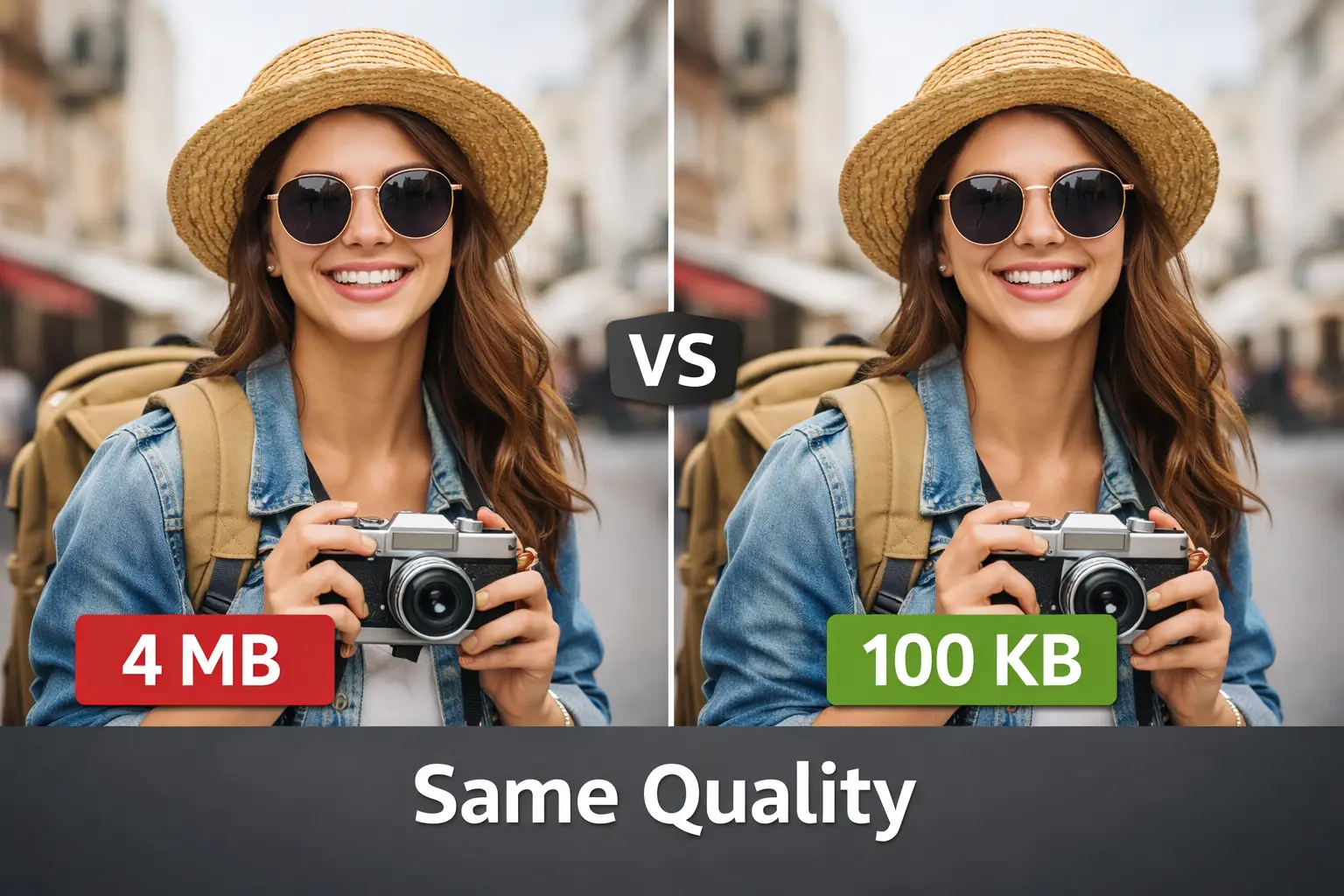
Finding the right tool to compress image to exact KB online can be extremely frustrating when most compressors only offer random quality reduction without precise control. Whether you need to reduce your photograph to precisely 20KB, 50KB, 100KB, or 200KB for specific upload requirements, generic compression tools force you to guess repeatedly and retry multiple times hoping to achieve your target size. Our advanced browser-based image compressor eliminates this problem completely by letting you specify your exact target file size in kilobytes and delivering precisely optimized results within seconds.
An exact KB image compressor intelligently adjusts compression levels. This specialized tool achieves your specified file size while maintaining maximum possible image quality throughout the optimization process. No more uploading sensitive photos to unknown servers, no privacy concerns about your data being stored remotely, and no endless trial-and-error attempts to hit your required size specifications. The entire compression process happens locally in your browser, ensuring your images never leave your device while delivering instant professional results.
The demand for precise image compression has grown significantly as online platforms, government portals, educational institutions, and job application systems enforce increasingly strict file size requirements. According to HTTP Archive research, images account for approximately 50% of total webpage weight, making efficient compression absolutely essential for faster loading times and improved user experiences. When you need to submit a passport photo under 100KB or upload documents to an exam portal with a strict 50KB limit, having a reliable image file size reducer becomes critically important for meeting submission deadlines.
Why Traditional Image Compressors Consistently Fall Short
Most online image compression tools work by applying a fixed quality percentage to your image without considering your actual file size requirements or target specifications. You upload a 2MB photograph, select high compression from limited options, and simply hope the result meets your specific needs. Unfortunately, this approach rarely produces the exact file size you need on the first attempt, wasting valuable time and potentially degrading image quality through repeated compression cycles.
Traditional compressors reduce quality blindly using algorithms. They often require multiple compression cycles that progressively degrade your image quality with each attempt. This becomes especially problematic when submitting photos for official documents where both strict size limits and quality standards must be met simultaneously. A photograph compressed too aggressively may become unusable for identification purposes, while insufficient compression results in rejected uploads.
The fundamental limitation of percentage-based compression lies in its completely unpredictable output results. A 70% quality setting might reduce one image to 80KB while compressing another similar image to 150KB, depending entirely on the original content characteristics, dimensions, color complexity, and image structure. When government forms specify exactly 100KB maximum or job portals require photos strictly under 50KB, you need precision rather than hopeful approximation. Our image compressor online free tool solves this challenge by using intelligent algorithms that iteratively adjust compression parameters until reaching your specified target size accurately.
If you frequently work with images and need other editing capabilities beyond compression, you might also find our resize image online tool helpful for adjusting dimensions before compression. Reducing image dimensions first often produces better quality results at smaller file sizes since the compression algorithm has less data to optimize.
Another significant drawback of conventional compressors involves server-based processing that raises serious privacy concerns for users handling sensitive materials. When you upload personal photos, passport images, identification documents, or confidential business materials to remote servers, you completely lose control over how that data is stored, processed, and potentially shared with third parties. Many free compression services retain uploaded images for analytics purposes, advertising targeting, or other commercial purposes disclosed only in lengthy terms of service agreements that most users never read carefully.
Our browser-based approach eliminates these privacy concerns entirely since your images never leave your device during the compression process. All optimization calculations happen locally using your browser's built-in capabilities, ensuring complete data protection regardless of image content sensitivity. This makes our tool perfect for processing confidential documents, personal photographs, medical images, and any other content requiring strict privacy protection.
How Our Exact KB Image Compressor Technology Works
Our advanced compression algorithm takes a fundamentally different approach to reduce image file size compared to standard tools available elsewhere online. Instead of applying arbitrary quality settings and hoping for acceptable results, the system accepts your desired output size in kilobytes and works backward mathematically to achieve that specific target with maximum precision.
The compression engine uses binary search optimization. Combined with JPEG encoding adjustments, it converges on your exact file size specification within seconds of processing initiation. This intelligent approach ensures you consistently get the closest possible match to your target while preserving maximum image clarity and detail throughout the entire optimization process. The algorithm continuously measures output size after each compression iteration and automatically adjusts parameters accordingly until reaching your specified target.
The technical process begins when you upload your JPG, PNG, or WEBP image through our intuitive drag-and-drop interface or traditional file browser selection. The tool immediately displays your original file size clearly and prompts you to enter your desired target size in KB. Upon clicking the compress button, the algorithm starts analyzing your specific image characteristics including resolution dimensions, color depth distribution, content complexity patterns, and structural elements that affect compression efficiency.
For optimal compression results across all image types, the system converts all uploaded images to optimized JPEG format during processing automatically. According to Google's compression documentation, JPEG remains highly effective for photographic content while enabling precise size control through quality parameter adjustments that other formats cannot match. This conversion happens automatically and transparently in the background, ensuring you receive the smallest possible file that meets your requirements without manual intervention.
The entire process runs using JavaScript directly in your web browser, leveraging your device's processing power rather than relying on remote servers with unpredictable performance. Modern browsers provide sophisticated image processing capabilities that match or exceed traditional desktop software for standard compression tasks. For users who need format conversion without compression for other purposes, our image converter online tool provides additional flexibility for various format transformation needs.
Common Use Cases for Exact KB Compression Requirements
Understanding specific scenarios where precise file size control matters helps illustrate why our compress image to exact KB online tool has become essential for thousands of daily users across diverse industries and personal applications. Government applications consistently enforce strict size limits for document uploads, often requiring photos between 10KB and 100KB depending on the specific portal requirements and document type being submitted.
Job application portals mandate exact file size limits. Educational institutions, visa processing systems, and competitive examination boards frequently require sizes that traditional compressors simply cannot reliably achieve on first attempts. Below we explore the most common situations where exact KB compression proves invaluable for users needing precise control over their image file sizes.
Passport and visa applications represent one of the most demanding use cases for precise image compression with zero margin for error. Many immigration portals require photos exactly at or below specific thresholds like 50KB or 100KB while simultaneously maintaining strict quality standards necessary for facial recognition systems and manual verification processes. Submitting an oversized photo results in immediate rejection and application delays, while over-compressing can make the image unusable for identification purposes.
Our tool's ability to target exact sizes while maximizing retained quality makes it ideal for these critical applications where accuracy matters tremendously. Users preparing passport photos might also benefit from our passport size photo maker which handles specific dimension requirements for various countries and document types. The combination of proper dimensions and exact file size control ensures your passport photos meet all technical requirements on the first submission attempt.
Educational and examination portals present similar challenges with even stricter requirements in many cases globally. Competitive exam applications in numerous countries require candidate photos under 20KB or 30KB, a surprisingly small limit that most modern smartphones cannot achieve natively without specialized tools. Students often struggle with multiple compression attempts using inadequate tools, accidentally degrading their photos beyond acceptable quality levels and facing application rejections.
Our image compressor to 20KB functionality solves this problem instantly by letting you specify exactly 20KB and receiving an optimized result immediately without quality guesswork. The tool handles all technical adjustments automatically in the background, allowing students to focus on their important applications rather than frustrating technical troubleshooting. Many educational institutions worldwide have strict digital submission requirements, and our tool helps students meet these specifications reliably every time.
Social media and messaging platforms also benefit significantly from exact size compression, though for different practical reasons. Discord, for example, imposes strict file size limits for non-premium users that make sharing high-quality images challenging without proper optimization. Meme creators and content sharers frequently need to compress images to specific sizes for faster loading speeds and broader compatibility across various platforms with different limitations. Our discord image compressor functionality helps users share content efficiently while maintaining acceptable visual quality for their audiences.
Professional photographers and graphic designers often need to prepare image portfolios for client presentations or job applications with specific file size requirements. Web developers optimizing websites for performance frequently target exact file sizes to maintain consistent page load speeds across different pages. Marketing professionals creating email campaigns must compress images to stay within email size limits while preserving visual impact. E-commerce businesses optimizing product images need precise control over file sizes to balance quality against loading speed for better conversion rates.
Compressing Images to Popular Target Sizes Explained
Different platforms and applications require different file size limits based on their specific technical requirements and user experience goals, and understanding these common requirements helps you prepare images correctly from the start. The most commonly requested compression targets include 20KB, 50KB, 100KB, and 200KB, each serving specific use cases across various industries and application types worldwide.
Knowing your exact target size before starting compression ensures compliant results. This eliminates unnecessary quality loss from repeated compression cycles on the first attempt. Let us examine each popular size target and its typical applications in comprehensive detail below.
When you need to compress image to 100KB, you are typically dealing with standard web upload requirements or general document submission portals that balance quality against loading speed considerations. This size provides a good balance between file efficiency and visual quality for most photographs intended for screen viewing. Profile pictures, product images for e-commerce, and blog post photos commonly target this range for optimal web performance across various connection speeds.
Our tool achieves 100KB compression quickly while retaining enough detail for clear comfortable viewing on standard displays. The process works equally well for JPEG, PNG, and WEBP source files, automatically converting to optimized JPEG output for maximum compatibility. Many job application systems, professional networking sites, and corporate portals specify 100KB as their maximum file size limit, making this one of the most frequently requested compression targets globally.
Compressing images to 200KB represents a slightly more generous limit often found in professional contexts and situations requiring higher-quality visual output. Job portals accepting professional headshots, professional networking sites displaying profile images prominently, and corporate document systems frequently specify this maximum size. At 200KB, you can maintain excellent image quality suitable for printing at smaller sizes while ensuring fast upload and download speeds for users.
Our compress image to 200KB feature uses lighter compression levels to preserve more detail when the target size allows this quality retention. This makes it ideal for portfolio submissions, professional headshots intended for multiple uses, and business documentation requiring polished presentation. Freelance platforms, creative agency submissions, and professional certification applications often accept this slightly larger file size to accommodate higher quality requirements.
The most challenging compression targets fall in the 20KB to 50KB range where significant optimization becomes absolutely necessary to achieve such small files. Government forms, competitive exam applications, and strict upload portals with legacy systems often mandate these smaller limits for technical reasons. Achieving such small file sizes while maintaining recognizable image quality requires sophisticated compression algorithms like those powering our tool.
When you compress image to 20KB, the system intelligently prioritizes facial features and essential identifying details while aggressively optimizing background areas, subtle gradients, and non-essential visual elements. The result remains suitable for identification purposes while meeting strict size requirements. For users also needing to optimize their photos for quality enhancement before compression, our enhance photo quality tool can improve source images significantly before the compression process begins.
Government ID systems, visa applications for certain countries, competitive examination portals in India and other Asian countries, and legacy document management systems frequently impose these strict 20KB to 50KB limits. Understanding these requirements and having reliable tools to meet them becomes essential for successful application submissions.
Understanding Image Formats and Compression Behavior
Different image formats respond to compression in distinct ways based on their underlying encoding methods, and understanding these differences helps you achieve better results consistently. Our tool accepts JPG, PNG, and WEBP uploads, processing each format appropriately before outputting optimized JPEG files designed for maximum compression efficiency and universal compatibility.
JPEG format uses lossy compression strategically. It discards some image data to achieve smaller file sizes, making it ideal for photographs where minor quality loss remains imperceptible to human viewers. This technical approach allows precise size targeting that lossless formats simply cannot achieve reliably regardless of compression settings applied.
PNG files present unique compression challenges because they use lossless compression specifically designed to preserve every pixel exactly as captured. While excellent for graphics containing text, logos with sharp edges, and images requiring transparency, PNG files tend to be significantly larger than equivalent JPEGs for photographic content with continuous tones. The lossless nature of PNG compression means you cannot achieve the same aggressive file size reduction possible with JPEG encoding.
When you upload a PNG to our png image size reducer, the system converts it to JPEG format automatically, enabling dramatic size reduction while maintaining visual quality acceptable for most purposes. This conversion process handles transparency by compositing against a white background, ensuring consistent predictable results. For users needing to maintain PNG format specifically, consider reducing dimensions first using our image resize tool before attempting compression.
WEBP represents Google's modern image format designed specifically for web efficiency, offering both lossy and lossless compression modes with superior performance characteristics. According to Google's WebP documentation, the format typically achieves 25-34% smaller file sizes compared to JPEG at equivalent perceived quality levels. Our tool accepts WEBP uploads and processes them through the same optimization pipeline as other formats, ensuring consistent exact-KB results regardless of your source format selection. The final output uses JPEG encoding for maximum compatibility across all devices, browsers, and platforms that might not fully support newer formats yet.
Understanding format differences helps you make informed decisions about source image preparation. If you start with a high-quality JPEG, the compression process maintains photographic detail efficiently. PNG sources containing screenshots or graphics with text convert well to JPEG for photographic content but may show artifacts around sharp edges. WEBP sources typically produce excellent results since they already use efficient encoding methods that translate well to optimized JPEG output.
Privacy and Security Advantages of Browser-Based Processing
One of the most significant benefits of our browser-based compression tool involves complete data privacy protection that server-based alternatives simply cannot match. Unlike cloud services that upload your images to remote computers for processing with unknown security practices, our tool performs all compression calculations directly in your web browser using local resources exclusively.
Your images never leave your device during compression. This eliminates all risks associated with data transmission over networks, server storage vulnerabilities, and potential unauthorized access by third parties under any circumstances. This architecture makes our tool suitable for sensitive documents including identification photos, medical images containing personal health information, and confidential business graphics requiring protection.
The technical implementation uses JavaScript and HTML5 Canvas APIs to process images entirely within your browser environment without external dependencies. When you select an image for compression, it loads into browser memory where the compression algorithm operates independently of any network connection. The resulting compressed file exists only in your browser until you explicitly download it to your device storage. Closing the browser tab or refreshing the page clears all image data from memory completely, leaving no trace of your processing activity anywhere.
This approach contrasts sharply with cloud-based services that may retain copies of uploaded images indefinitely for various purposes including service improvement, advertising targeting, or compliance with data retention policies you never explicitly agreed to understand. Many free online tools upload your images to servers in unknown locations with unclear data handling practices, potentially exposing sensitive information to security breaches or unauthorized access.
For users handling government documents, medical records, legally sensitive images, or confidential business materials, browser-based processing provides essential compliance benefits with data protection regulations. Many industries face strict data handling regulations that prohibit transmitting certain information categories to third-party servers under any circumstances. Our local processing approach satisfies these requirements completely by keeping data entirely under your control throughout the entire compression workflow. Organizations can confidently recommend our tool to employees knowing that sensitive documents remain completely secure during file size optimization processes.
Healthcare providers processing patient photos for medical records, legal professionals handling evidence documentation, government employees managing classified materials, and businesses protecting proprietary visual assets all benefit from the security guarantees our browser-based architecture provides. No data breaches, no unauthorized access, no storage on foreign servers, and complete control over your image files at all times.
Optimizing Compression Quality and Achieving Best Results
Achieving the best possible quality at your target file size requires understanding how compression affects different types of images based on their content characteristics. Photographs with smooth gradients, subtle shadows, and natural textures generally compress better than images with sharp text, fine lines, or high-contrast edges that compression algorithms struggle to preserve efficiently.
Starting with the highest quality source image ensures optimal output. Compression cannot add detail that was not present in the original file. Taking a few preparatory steps before compression can significantly improve your final results and overall satisfaction with the compressed output.
Image dimensions directly and substantially impact compression efficiency and final quality at any given target file size. A 4000x3000 pixel image compressed to 100KB will appear noticeably lower quality than a 1000x750 pixel image at the same file size because the larger image must compress significantly more data into the same limited space. If your target platform does not require high resolution for display purposes, consider resizing your image before compression to achieve better visual quality at small file sizes.
Our resize tool can help adjust dimensions appropriately for various purposes, and combining dimension reduction with targeted compression often produces significantly superior results compared to compression alone. Web images rarely need dimensions exceeding 2000 pixels on the longest side, while profile photos and thumbnails work perfectly at 800-1000 pixels maximum.
Color complexity also affects compression outcomes significantly across all image types. Images with millions of distinct colors require more data to represent accurately, making aggressive compression more noticeable and potentially introducing visible artifacts. Photographs with simpler color palettes or images that have been slightly desaturated often compress more efficiently while maintaining acceptable perceived quality for viewers. Images featuring large areas of solid color or simple backgrounds compress more efficiently than complex scenes with varied textures and colors throughout.
However, our intelligent algorithm accounts for these factors automatically during processing, adjusting compression parameters dynamically based on your specific image characteristics. For most users, simply uploading the image and specifying the target size produces excellent results without requiring manual optimization steps or technical knowledge. The algorithm analyzes your image content and applies appropriate compression strategies to maximize quality within your specified file size constraint.
Lighting conditions in original photographs also affect compression outcomes. Well-lit images with balanced exposure compress better than underexposed or overexposed photos where the algorithm struggles to preserve detail in shadow or highlight areas. If possible, improve source image quality through basic editing before compression for superior final results.
Step-by-Step Compression Guide for Beginners
Using our compress image to exact KB online tool requires only a few simple steps that anyone can complete successfully in seconds regardless of technical experience. The intuitive interface eliminates technical complexity while providing powerful compression capabilities typically found only in expensive professional software applications.
The entire compression process happens instantly in your browser. No account registration required, no software installation necessary, and no payment ever requested. Follow these straightforward steps to compress your first image to your exact target size successfully.
Begin by uploading your image using either the drag-and-drop zone for convenience or the browse button to select a file from your device storage manually. The tool accepts JPG, PNG, and WEBP formats up to reasonable file sizes that your browser can handle efficiently without performance issues. Once uploaded, you will see your image preview along with its current file size displayed clearly for reference. This original size information helps you understand how much compression will be necessary to reach your target successfully.
If you are working with multiple images for a larger project, you might also find our image to PDF converter useful for combining compressed images into organized documents after optimization. Many users compress multiple images individually before combining them into professional PDF presentations or documentation packages.
Next, enter your desired target file size in the input field provided on the interface. Specify this value in kilobytes, for example entering 100 for 100KB or 50 for 50KB depending on your requirements. The system accepts any reasonable target size within technical limits, though extremely small targets may affect image quality noticeably as expected. Click the compress button to start processing immediately, and watch as the progress indicator shows the algorithm working through compression iterations toward your target.
Within seconds typically, your compressed image appears with both original and new file sizes displayed prominently for easy comparison and verification. The interface clearly shows whether the compression successfully achieved your target size or came as close as technically possible given your image characteristics.
Finally, download your compressed image using the download button that appears after processing completes successfully. The file saves to your default download location with the compression applied and ready for use. If the result does not meet your expectations for any reason, you can adjust the target size and recompress without needing to re-upload the original image again. The remove or reset option clears the current image completely so you can start fresh with a different file if needed. This straightforward workflow makes exact KB compression accessible to everyone regardless of technical experience or background.
For users new to image compression, starting with less aggressive targets helps you understand quality tradeoffs. Try compressing to 150KB first if your limit is 100KB, then gradually reduce the target to find the optimal balance between size and quality for your specific needs.
Mobile Compatibility and Responsive Design Features
Our image compressor works seamlessly across all devices including smartphones, tablets, and desktop computers without requiring any app installation or special configuration. The responsive interface adapts automatically to your screen size, providing comfortable touch targets and readable text on smaller displays for optimal mobile usability.
Mobile users can compress images directly from camera rolls instantly. Downloaded files make on-the-go compression practical for urgent submissions with tight deadlines. This cross-device compatibility ensures you can meet file size requirements whenever and wherever needed without access to a desktop computer.
Smartphone cameras now capture images at resolutions exceeding 12 megapixels regularly, producing files often several megabytes in size that exceed most upload limits significantly. When you need to upload these photos to portals with strict KB limits, mobile-friendly compression becomes absolutely essential for success. Our tool processes images efficiently even on older devices with limited processing power, leveraging modern browser capabilities without requiring powerful hardware or excessive memory resources.
The touch-optimized interface makes selecting images, entering target sizes, and downloading results intuitive on touchscreens of all sizes. Large buttons, clear text, and simplified navigation ensure comfortable use even on small smartphone screens. The responsive design automatically adjusts layout and element sizing based on available screen space, maintaining full functionality across devices from small phones to large desktop monitors.
For users frequently compressing images on mobile devices, bookmarking our tool provides instant access whenever needed without searching. The browser-based approach means no storage space consumed by installed apps and no updates to manage or approve periodically. Simply open your browser, navigate to the tool, and start compressing immediately without delays. This convenience proves especially valuable when facing application deadlines or urgent upload requirements while away from your computer during travel or commuting.
Mobile data usage remains minimal since all processing happens locally without uploading large files to remote servers. You can compress images even with limited or slow internet connections, making the tool practical for use anywhere. Battery consumption stays low compared to processor-intensive mobile apps, and the tool works reliably across both iOS and Android platforms without compatibility issues.
Frequently Asked Questions
Upload your image using our drag-and-drop interface or browse button to select a file. Enter 100 in the target size field which represents 100KB. Click the compress button and wait a few seconds while the algorithm optimizes your image automatically. The tool adjusts compression levels to achieve exactly 100KB or as close as technically possible while maintaining quality. Download your compressed image once processing completes successfully.
Yes, our tool accepts PNG uploads and converts them to optimized JPEG format for precise size control automatically. PNG uses lossless compression which does not allow exact size targeting, so conversion to JPEG enables the precise KB compression you need. The visual quality remains excellent for photographs and most graphics. If your PNG has transparency, it will be composited against a white background during conversion.
Absolutely. Our tool processes images entirely within your web browser using JavaScript locally. Your images never upload to any server or leave your device during compression under any circumstances. All processing happens using your browser's built-in capabilities exclusively. Once you close the browser tab or refresh the page, all image data clears from memory completely. This makes our tool completely safe for sensitive documents including passport photos and identification images.
Every image has a minimum achievable file size determined by its dimensions and content complexity characteristics. A high-resolution image with many distinct colors cannot compress to extremely small sizes without becoming unrecognizable or unusable. If you need smaller file sizes, try reducing your image dimensions first using a resize tool before compression. Smaller pixel dimensions require less data and can achieve smaller KB sizes while maintaining visual quality.
Our tool accepts three popular image formats: JPG which is also known as JPEG, PNG, and WEBP. These formats cover the vast majority of images you will encounter from cameras, screenshots, and downloads. The output is always optimized JPEG format because it allows precise size control through quality adjustment parameters. JPEG provides excellent quality for photographs and most images while enabling exact KB targeting that other formats cannot achieve reliably.
Discord limits file uploads to 8MB for free users and 50MB for Nitro subscribers. Simply upload your image to our tool and enter your target size in KB based on your needs. For most Discord sharing purposes, entering values between 500KB and 2000KB provides a good balance of quality and quick loading for recipients. The compressed image downloads instantly and can be shared directly to Discord channels without hitting upload limits.
Yes, our image compressor works perfectly on smartphones and tablets without any issues. The responsive design adapts to your screen size automatically, providing easy-to-tap buttons and readable text on smaller displays. You can upload images directly from your phone camera roll or file manager conveniently. The browser-based processing works on both iOS and Android devices without requiring any app installation.
JPEG compression works by selectively discarding image data that human eyes are less likely to notice during normal viewing. When compressing to very small file sizes, more data must be discarded, which can cause visible quality reduction in some areas. The effect is more noticeable in areas with subtle gradients or fine details. For better quality at small sizes, try using a source image with smaller dimensions or accepting a slightly larger target file size.
Our algorithm achieves your target size within a very close range, typically within 1-2KB of your specified value consistently. The system uses iterative optimization to converge on your exact target efficiently. In some cases, the final size may be slightly under your target to ensure you meet maximum file size requirements for uploads. The compression result always displays both original and final sizes clearly for your reference.
No account registration is required whatsoever. Our image compressor is completely free to use without any signup, login, or subscription requirements. Simply visit the tool page, upload your image, set your target size, and download the result immediately. There are no daily limits on compressions and no features locked behind paywalls. The tool remains free for unlimited use by anyone who needs it.