Blur Image Tool
Blur your images instantly with premium controls. No server uploads, fully local.
Drag & Drop Image Here
or click the button below to browse
Supports JPG, PNG, WEBP
Blurred
Original
Applying blur...
Blur Strength
0
Blur Radius
0
Blur Quality (passes)
1
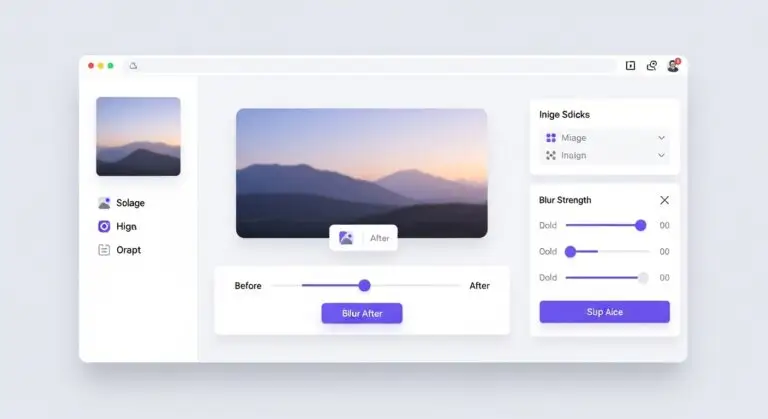
Blur Image Online – Free, Private & Advanced Blur Tool
If you need to blur image online quickly without complicated software, you’re in the right place. This advanced online image blur tool lets you add professional blur effects directly inside your browser — no uploads to external servers, no watermarks, and no quality loss.
Whether you want to blur the entire photo, blur background in photo online free, soften edges, or apply a Gaussian blur effect, this tool gives you full control. Everything runs locally on your device, ensuring complete privacy and lightning-fast performance.
Why Use This Blur Image Online Tool?
Many online tools compress your images or require uploads to their servers. This blur photo online free tool works entirely in your browser using secure local processing. That means your images never leave your device.
Key Benefits
- 100% browser-based processing
- No server uploads required
- No watermark on downloads
- Supports JPG, PNG, and WEBP formats
- Before & after comparison slider
- Advanced blur strength and radius control
- Selective blur areas (edges, center, background)
Advanced Blur Controls for Professional Results
This is more than a simple add blur effect to image tool. You get multiple blur modes and adjustable settings to create exactly the look you need.
Blur Types Available
Choose from Gaussian Blur, Box Blur, Smooth Blur, Strong Blur, and Soft Blur. Each option applies a different visual effect, allowing you to customize the intensity and style of the blur.
Selective Blur Areas
You can blur image online fully or target specific areas such as:
- Entire image
- Blur edges only
- Blur center focus
- Simulated background blur
This makes it perfect for creating depth-of-field effects, hiding sensitive information, or emphasizing a subject.
Precision Controls
Adjust blur strength, blur radius, and blur quality passes for fine-tuned control. Whether you need subtle smoothing or strong privacy masking, this online image blur tool adapts to your needs.
Common Use Cases
Blur Background in Photo Online Free
Create a DSLR-style background blur effect without expensive software. Highlight your subject while softening distractions.
Hide Sensitive Information
Need to blur part of image online to protect private details? Use selective blur to mask faces, license plates, addresses, or confidential data.
Social Media Content
Enhance Instagram posts, YouTube thumbnails, or marketing visuals with smooth blur transitions and stylish focus effects.
Professional Presentations
Design presentations with subtle background blur to keep the audience focused on text or key visuals.
How to Blur Image Online in 3 Simple Steps
- Upload or drag your image into the tool.
- Adjust blur type, strength, radius, and area settings.
- Download your blurred image instantly.
You can also use the before and after slider to compare results in real time before downloading.
Fully Private – No Upload Required
This blur image online without uploading system ensures complete privacy. Since processing happens directly in your browser using canvas technology, your files never leave your device.
That means no tracking, no cloud storage, and no risk of data leaks.
Works on All Devices
This tool is optimized for desktop, tablet, and mobile browsers. Whether you’re using Chrome, Safari, Edge, or Firefox, you can blur photo online free with smooth performance.
Instant Download in High Quality
Once you finish editing, download your blurred image instantly in high-quality PNG format. No compression, no forced resizing, and no branding.
Who Is This Tool For?
- Content creators
- Social media managers
- Students
- Marketers
- Photographers
- Anyone who needs a quick blur image online solution
Start Blurring Your Images Now
If you’re looking for a fast, secure, and powerful way to blur image online, this tool delivers professional-level results with zero complexity.
Upload your image, customize the blur effect, and download your result in seconds.
Try it now and create smooth, stylish, and private blur effects instantly.
Frequently Asked Questions
Is this blur image online tool free?
Yes, it is completely free to use with no watermark.
Do my images get uploaded?
No. All processing happens locally in your browser.
Can I blur only part of an image?
Yes, you can blur edges, center, background, or the full image.
What formats are supported?
JPG, PNG, and WEBP formats are supported.
Frequently Asked Questions
Yes, it is completely free to use with no watermark.
No. All processing happens locally in your browser.
Yes, you can blur edges, center, background, or the full image.
JPG, PNG, and WEBP formats are supported.